
Every client and every follow-up in one place, for studios and local services.
Know who walked in, what they signed up for and who still needs a check-in. Kingdom52 CRM keeps each client's notes, tasks, meetings and history on one record, so whoever is at the front desk knows what happened last time. Enterprise-level systems at small-team prices.
Walk through how your clients, check-ins and forms would fit, in one short call.
Organizations running on Kingdom52





Sound familiar?
My client list is half in a notes app and half in my head.
I meant to check in after their intro session, and then the week got away from me.
People fill out the form on my website and it just sits in my inbox until I notice it.
What matters for you
One record per person, Member and Client on the same contact.
Everyone is a Contact. "Member" and "Client" are chips on the same record, so the drop-in who joins is still one person with one history.
Why it matters: no second spreadsheet for members, no guessing which list is current.
See the CRMTasks and notes on the client's record.
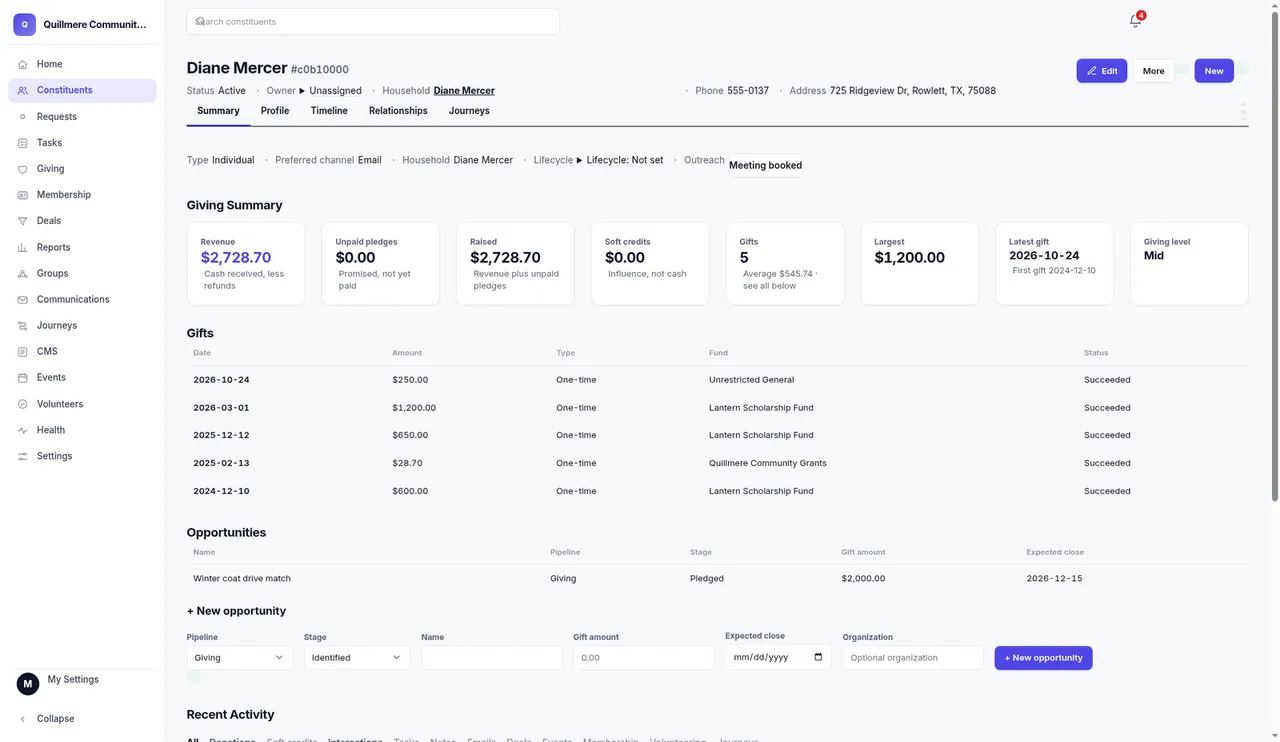
Assign a check-in to any staff member right from the client's record. Notes sit on the same page. Meetings come in from a booking link or get logged by hand.
Why it matters: every follow-up has a person's name on it, so it doesn't slip.
See the CRMWeb forms that start the follow-up.
Your website's forms feed the CRM, and a form can start a Journey: a welcome email, a few days' wait, a check-in email and a task for your team. A condition check can stop the Journey when it no longer fits.
Why it matters: a new inquiry gets an answer while they are still interested.
See the CRMEvents with registrations.
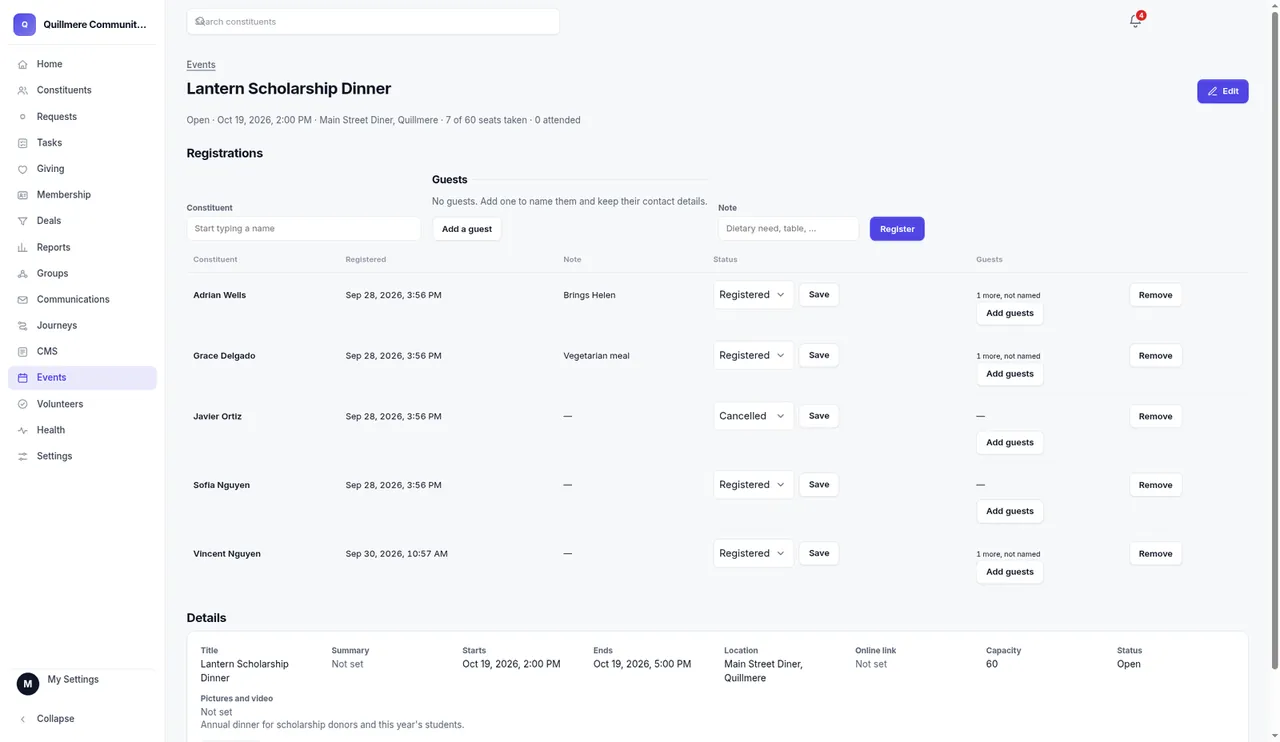
Workshops, open houses and special sessions each get an event page that shows who registered and who came.
Why it matters: the sign-up list lives with your clients, not in a separate tool.
See the CRMScreens from the product
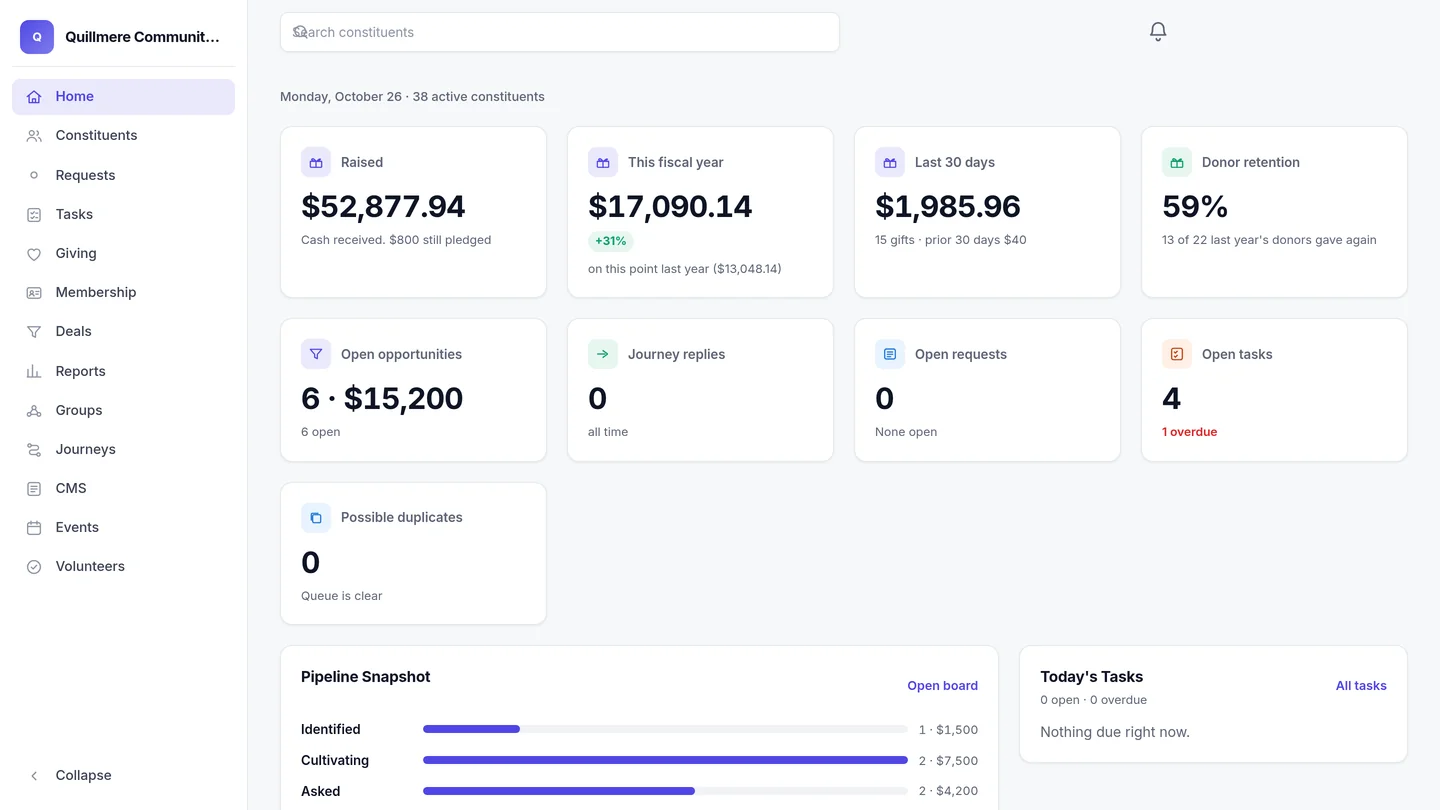
Kingdom52 screens, shown with sample data. Every client gets their own database and their own web address.
From a team like yours
Kingdom52 built the website for Viva Health Studio (vivahealthstudio.com). And in the CRM, Member and Client sit side by side as chips on one contact record, because one person can be both.
FAQ
Isn't a CRM too much for a studio our size?
You turn each module on or off, so the screen shows only what your team uses. The wording fits a business: Contact, with Member and Client as chips on the same person.
Can each of my instructors or staff have a login?
Yes. There's no per-login price. Roles (Owner, Admin and Staff, plus custom profiles you set up) control who can see and change what.
Do appointments show up on the client's record?
Meetings come in from a booking link or your staff log them by hand, and they sit on the client's record with notes and tasks.
Is there a free trial?
No. There's no free plan or trial. If you pay yearly, you pay for 11 months, get one month free and skip the one-time setup fee.
We already have a website. Do we need a new one?
No. You can use the Kingdom52 CRM on its own. A website from us is optional and quoted separately.
What does it cost?
The Kingdom52 CRM on its own is $59 a month plus a $299 one-time setup. Website + CRM is $69 a month plus the same $299 one-time setup. Our monthly price doesn't go up with your contact count. Month to month, cancel anytime with one month's notice. Prices exclude applicable sales tax. Full prices and terms: https://www.kingdom52.com/pricing.html
Walk through how your clients, check-ins and forms would fit, in one short call.
15 questions about your client records, tools and costs. No account needed.